> ## Documentation Index
> Fetch the complete documentation index at: https://subframe-59800133-claude-lucid-mccarthy-fexm3d.mintlify.site/llms.txt
> Use this file to discover all available pages before exploring further.
# Project settings
> Configure how Subframe generates and exports code for your project.
## Access project settings
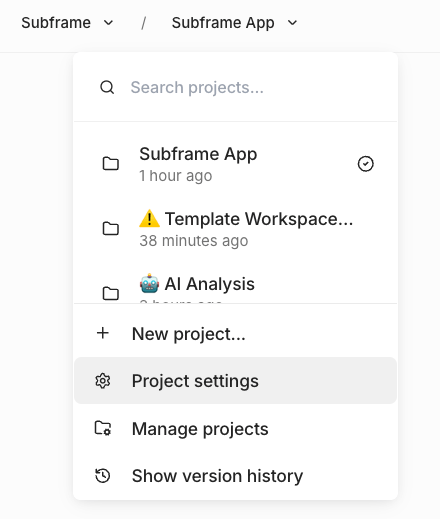 1. Open your project in the editor
2. In the left sidebar, find the **Design System** section
3. Click the **Configure code export** icon next to **Design System**
The **Code export settings** dialog opens.
1. Open your project in the editor
2. In the left sidebar, find the **Design System** section
3. Click the **Configure code export** icon next to **Design System**
The **Code export settings** dialog opens.
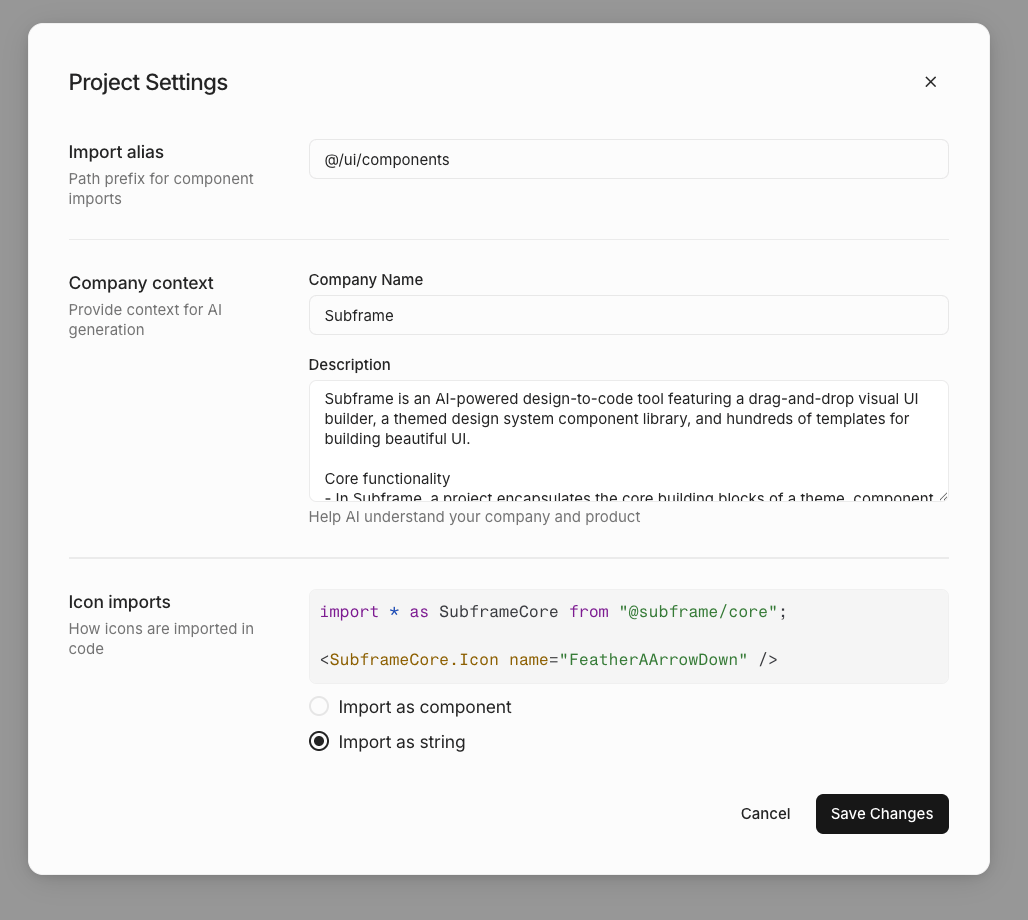 ## Import alias
Set the path prefix used for component imports in generated code.
**Default:** `@/ui/components`
This determines how import statements appear in your exported code:
```tsx theme={null}
import { Button } from "@/ui/components/Button"
```
Change this to match your project's directory structure and TypeScript path aliases.
## Icon imports
Choose how icons are imported in generated code.
#### Import as component
Icons are imported as React components:
```tsx theme={null}
import { FeatherIcon } from "@/ui/components/FeatherIcon"
```
```tsx theme={null}
```
#### Import as string
Icons are referenced by name as strings:
```tsx theme={null}
import { Icon } from "@/ui/components/Icon"
```
```tsx theme={null}
```
If your project has uploaded custom icons, you must use "Import as component". The string option is disabled when
custom icons are present.
## Import alias
Set the path prefix used for component imports in generated code.
**Default:** `@/ui/components`
This determines how import statements appear in your exported code:
```tsx theme={null}
import { Button } from "@/ui/components/Button"
```
Change this to match your project's directory structure and TypeScript path aliases.
## Icon imports
Choose how icons are imported in generated code.
#### Import as component
Icons are imported as React components:
```tsx theme={null}
import { FeatherIcon } from "@/ui/components/FeatherIcon"
```
```tsx theme={null}
```
#### Import as string
Icons are referenced by name as strings:
```tsx theme={null}
import { Icon } from "@/ui/components/Icon"
```
```tsx theme={null}
```
If your project has uploaded custom icons, you must use "Import as component". The string option is disabled when
custom icons are present.